How to remove Open at Login items; e.g., "TNT - Why join the navy if you can be a pirate" from Mac
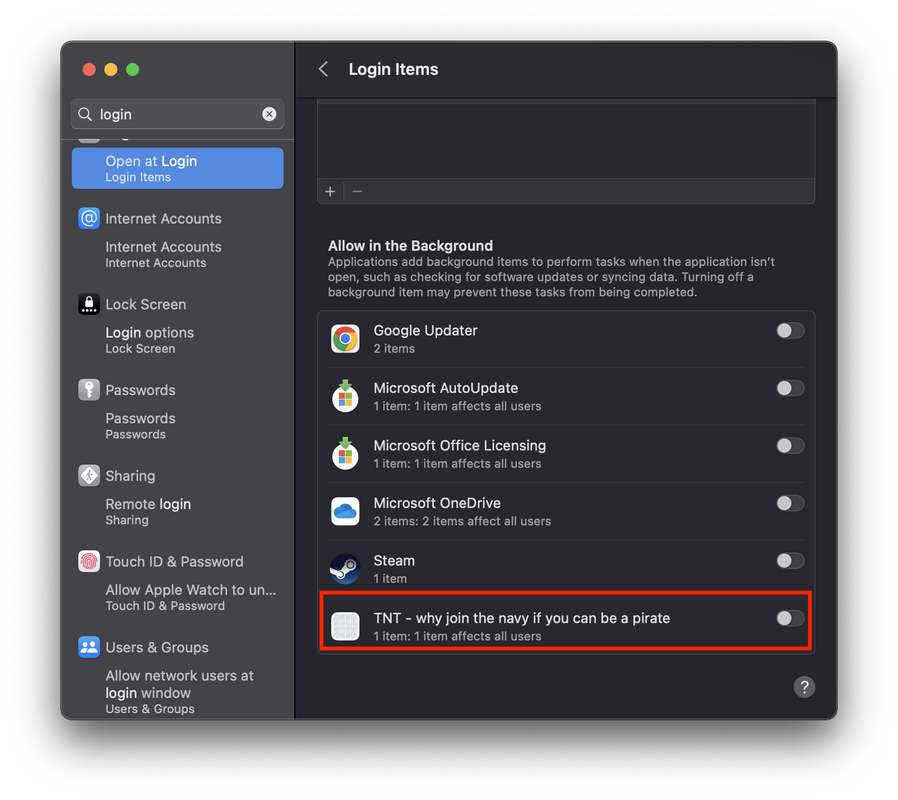 |
| Image Source: Reddit |
STEP -1
- Run
sudo sfltool dumpbtmin the terminal - That should give a readout of all that is listed in screenshot and give an idea of where to start hunt for "TNT - why join the navy if you can be a pirate".
⤵ Double click on the code box to copy it . ⤵
sudo sfltool dumpbtm
- It could be in the app bundle, could be in /Library, could be in ~/Library.
- ~/Library: Contents/Library/LoginItems (Inside the indicated application
STEP -2
- In Finder > Go to Directory:
/Library/LaunchDaemons/ - Find the specific files URL file, delete it
⤵ Double click on the code box to copy it . ⤵
/Library/LaunchDaemons/
Source: Reddit